Video Ad Research Checklist for Marketers
A video ad research checklist turns a complex process into a repeatable workflow. Whether you are setting up competitor monitoring for the first time or running your weekly review, a checklist ensures you do not miss key steps and that your research produces consistent, actionable results.
Use this checklist as a recurring reference for your video ad research process.
Direct answers
Quick answers for this topic
What is competitor video ad tracking?
Competitor video ad tracking is the process of monitoring publicly visible competitor video ads, recording hooks, offers, formats, CTAs, landing page context, and review dates, then using those notes to guide original creative planning without claiming private performance data.
What is the best way to organize ad research?
The best way to organize ad research is to use a consistent workflow: define the competitor set, capture public creative signals, tag each hook and offer, add landing page notes, choose a next action, and summarize meaningful changes every week.
Related workflow links
Continue the research workflow
Why Video Ad Research Checklist for Marketers Matters for Your Team
Video Ad Research Checklist for Marketers addresses a specific gap that many paid social teams encounter: the gap between knowing that competitive research is valuable and actually having a research workflow that produces consistent, actionable intelligence without becoming a time-sink. The teams that get this right treat video ad research checklist as a repeatable process rather than a one-time project — which is why the structure matters as much as the tool.
When a team starts treating video ad research checklist as infrastructure rather than an occasional task, several things change. The research becomes more consistent because the workflow has a defined cadence. The intelligence becomes more useful because findings are organized in a searchable structure rather than scattered across screenshots and notes. The briefs improve because they are grounded in pattern-level observations from the research library rather than whatever creative was seen most recently.
This distinction — infrastructure vs. project — is the difference between teams that build genuine competitive intelligence over time and teams that periodically rediscover what their competitors are doing without ever accumulating an organized knowledge base.
A Practical Framework for Getting Started
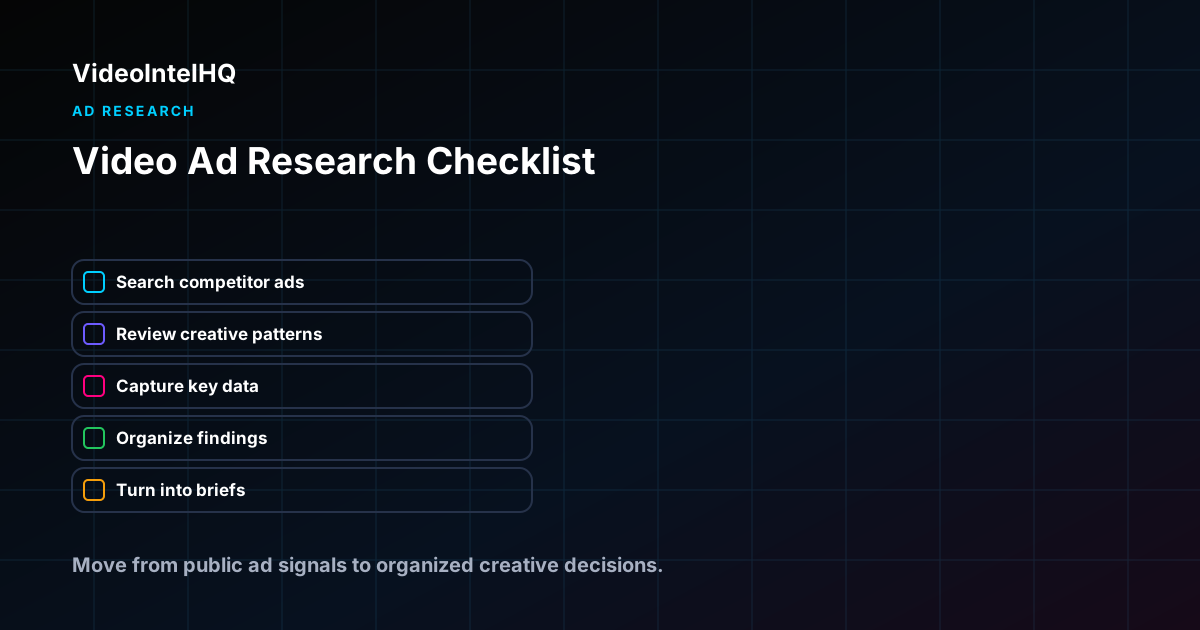
Whether Video Ad Research Checklist for Marketers is new to your team or an existing process that needs better structure, a practical starting framework has five components:
1. Define what you are researching: which competitors, which platforms, which specific signals (hooks, offers, formats, landing pages, or all of the above). A clear scope prevents the research from becoming too broad to review consistently.
2. Set up a monitoring cadence that matches your team's production cycle. Weekly reviews work for active paid social programs. Monthly reviews are better for stable categories or teams with longer creative production timelines.
3. Use consistent classification tags for every entry in your research library. Hook patterns, offer structures, and creative formats should use the same taxonomy across all entries. Consistency is what makes the library searchable for pattern analysis.
4. Connect every observation to a next step: brief a differentiated test, monitor for pattern development, report to stakeholders, or archive as noise. Research without a decision framework grows without producing value.
5. Review the system quarterly: which competitors are still relevant, which classification categories are useful, and whether the output formats still match what the team needs.
- →Start with the specific competitors and signals that matter most for your current brief and testing cycle
- →Use consistent tags for hook patterns, offer structures, and creative formats across all entries
- →Connect each observation to a decision: brief, monitor, report, or archive
- →Review and refine the system quarterly to keep it aligned with team needs
Manual vs. Structured: How Video Ad Research Checklist for Marketers Changes Your Workflow
Most teams start Video Ad Research Checklist for Marketers with a manual process: checking competitor pages, saving screenshots, and discussing findings in meetings or chat threads. This approach works for a one-off review but breaks down when the team needs consistent intelligence across multiple competitors, clients, or review periods.
The manual approach
Manual competitor research typically involves checking three to five competitor profiles or the TikTok Creative Center on a weekly basis, saving interesting ads to a folder or Notion page, and discussing findings in a team meeting or chat thread. The manual approach works for initial discovery but has structural limitations: no automated alerts mean new creative can go unnoticed between manual checks, screenshots lack consistent classification tags needed for pattern analysis, findings are hard to search or compare across review periods, and the research output is often a conversation rather than a structured deliverable.
The structured approach with VideoIntelHQ
A structured approach using VideoIntelHQ replaces manual checking with automated competitor monitoring. New creative is captured as it appears, classified with consistent hook and offer tags, and organized into a searchable library that grows more valuable over time. Weekly summaries consolidate the most important observations for each competitor or client account, and the research library supports longitudinal analysis that manual methods cannot match. The structured approach does not require more time — it requires different time allocation. Instead of spending two hours manually checking competitor profiles, the team spends thirty minutes reviewing organized weekly summaries and tagging new entries into the library. The remaining ninety minutes goes into analysis, brief writing, and strategic discussions rather than data collection.
Why Research Templates Improve Intelligence Quality
Templates in competitive ad research solve a consistency problem: without a standard structure, different team members capture different information about the same type of competitive signal. One person captures the hook; another captures the offer; a third captures the format. None of them notes the date or the landing page. Three weeks later, the "research" is a set of observations that cannot be compared, filtered, or analyzed for patterns.
A research template is a commitment to capturing the same dimensions every time. For video ad research checklist for marketers, the template defines what to record, how to classify it, and what decision to make with it — turning ad hoc observation into repeatable intelligence production.
The Anatomy of a Useful Competitive Research Template
Identity fields
Every template entry should start with: competitor brand, date reviewed, platform, and ad format. These four identity fields make the library filterable and searchable by source and time period.
Content fields
The creative content fields capture what is in the ad: hook category and specific opening line, offer structure, format, proof mechanism, CTA language, and any landing page notes. These fields are what the pattern analysis operates on.
Interpretation fields
Interpretation fields separate what was observed from what the team thinks it means: strategic observation (why this ad is worth noting), pattern tag (which recurring pattern it belongs to), and next action (save, brief, report, monitor, or ignore). These fields are where research connects to decisions.
Output fields
Some templates include fields for connecting an observation directly to an output: which client or campaign it is relevant to, which brief it should inform, which report it belongs in. Output fields turn the template from a research archive into a workflow connector.
Template Customization by Team Type
- →Agency teams: add client workspace, account manager, and report period fields to connect research to deliverables
- →DTC brand teams: add product line, season, and launch timing fields to connect research to campaign planning
- →Creative strategy teams: add hook library category, format library category, and brief connection fields
- →Media buyer workflows: add spend signal rating, launch timing note, and test hypothesis field
- →Solo researchers: keep templates lightweight — five to seven fields maximum prevents capture overhead that reduces review frequency
Common Template Mistakes
- →Templates with too many fields create capture overhead that makes teams skip entries — eight to ten fields maximum
- →Templates that separate creative observation from interpretation miss the most valuable research output
- →Templates without consistent category options for hook type, format, and offer produce inconsistent tagging that prevents pattern analysis
- →Templates updated mid-research period break historical consistency and make before/after pattern comparison impossible
- →Templates without a "next action" field produce research libraries that grow but never produce decisions
Template Governance and Team Standards
A research template is only effective when the entire team uses it consistently. Template governance — the set of rules and standards that ensure every team member classifies research observations the same way — is what transforms a well-designed template into a reliable intelligence system. Without governance, one team member's "problem-first hook" category is another team member's "curiosity gap," and the library produces contradictory data when analyzed for pattern distribution. Governance starts with a shared taxonomy document that defines each classification category with examples. A problem-first hook is defined as "an ad that opens by naming a specific pain point the viewer experiences," with two or three concrete examples from real competitor creative. Curiosity-gap hooks are defined separately with their own examples. The taxonomy document lives alongside the template and is reviewed quarterly to ensure categories still match the team's actual research observations. Teams that skip the governance step consistently report that their research libraries produce unreliable pattern analysis because tagging is inconsistent across team members.
Template Automation and Tool Integration
Manual template entry is sustainable for a single researcher monitoring three to five competitors, but it breaks down as the research program scales. Template automation — where certain fields are pre-populated by the research tool or integrated from the platform ad library — reduces the per-entry time cost and increases the likelihood that entries will be completed consistently. The most valuable automation points are the identity fields (competitor brand, date, platform), which can typically be captured automatically from the monitoring tool. Content field automation varies by tool: some tools can auto-classify hook categories based on natural language processing of the opening text, while others offer structured dropdowns based on the team's existing taxonomy. When evaluating template automation, focus on which fields most often go incomplete in your team's manual process and prioritize automation for those specific fields. A template that auto-fills the competitor name, date, and platform while requiring human judgment for hook category and offer structure typically produces the right balance of efficiency and analytical quality.
Ad intelligence workflow
Ad Research Workflow
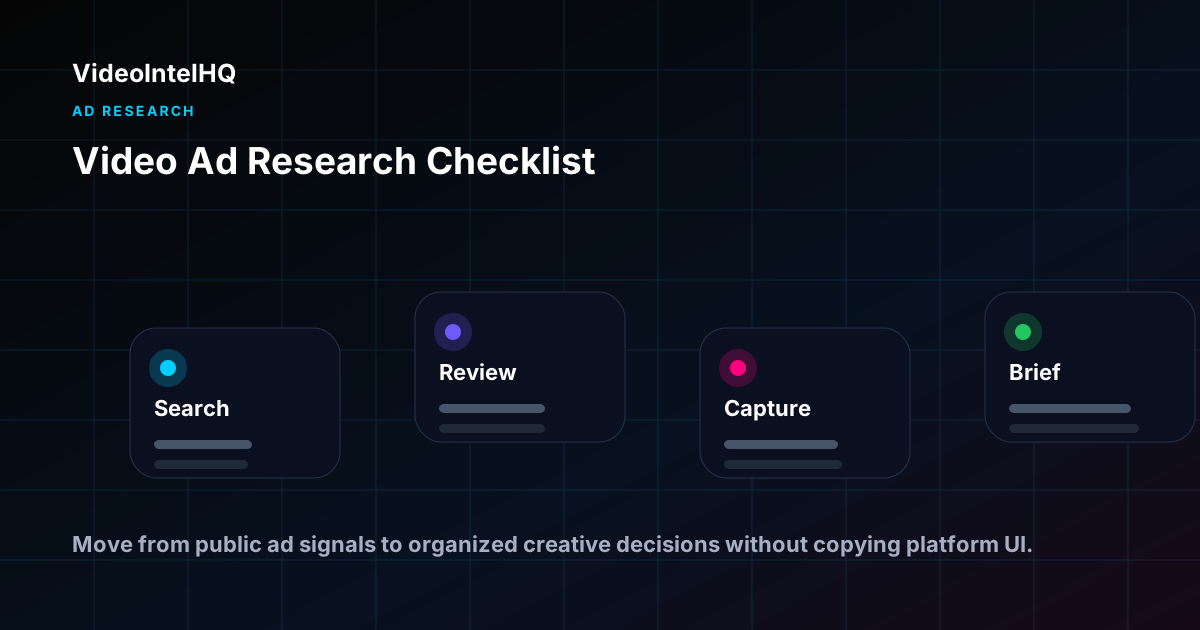
Use this workflow to move from public competitor ad signals to a practical creative research note your team can review.
Examples by role
How teams use this workflow
Performance marketing agencies
Use video ad research checklist for marketers to prepare client-ready weekly notes: what changed, what matters, and which original brief or review action should happen next.
DTC brands
Use video ad research checklist for marketers to compare public creative signals against your own product, offer, landing page, and customer research before deciding what to test.
Creative teams
Use video ad research checklist for marketers to turn scattered screenshots into structured hook, offer, proof, format, and landing-page notes that can become original briefs.
Media buyers
Use video ad research checklist for marketers as planning context before budget and testing conversations, while avoiding unsupported claims about private ROAS, revenue, or conversions.
Related Wade Digital tools
Adjacent workflows to review
These are related Wade Digital tools only where they naturally support the workflow. VideoIntelHQ remains focused on competitor video ad intelligence.
Key Takeaways
- →Video Ad Research Checklist for Marketers works best as a repeatable research workflow, not a one-time screenshot collection exercise.
- →Keep public ad observations separate from assumptions about private performance, revenue, ROAS, or account data.
- →Use the research to organize hooks, offers, formats, landing page notes, and next-step creative hypotheses.
Who This Is For
- ✓Performance agencies who want a structured research process for every client
- ✓DTC brands building their first systematic competitor research workflow
- ✓Media buyers who want a simple, consistent process for competitive intelligence
- ✓Creative strategists who need a research cadence that feeds their briefing workflow
Build from the research
Use the Operating System after you find the signal.
This guide helps you understand what to look for. The Vertical Video Growth Operating System gives you the AI skills, templates, modes, and workflows to turn that research into finished short-form videos.
Frequently Asked Questions
How long does the full weekly review take?
Twenty to thirty minutes once the monitoring system is set up. It gets faster as the workflow becomes habitual.
Can I delegate parts of this checklist?
Yes. Collection and tagging can be delegated. Pattern synthesis and hypothesis formation benefit from someone with creative strategy experience.
How often should I update my competitor list?
Quarterly. Review who has entered or exited your market and adjust your tracking list accordingly.
Can VideoIntelHQ automate this checklist?
VideoIntelHQ automates the monitoring and tagging steps. The analysis and hypothesis formation still require human judgment.
How do I handle template exceptions — creative that does not fit existing categories?
Add a "notes" or "other" field to every template entry for observations that do not fit the standard classification. Review these exception entries during the quarterly taxonomy review to determine whether the classification system needs adjustment. A classification category that generates frequent "other" entries may need to be split into two more specific categories. A category that almost never receives entries may need to be removed to keep the template focused and reduce completion overhead.
What is the right number of template fields for a research team of five to ten people?
Eight to twelve well-defined fields is a practical range for a team of this size. The identity layer needs four fields (competitor, date, platform, team member), the content layer needs four to six fields (hook category, offer structure, format, strategic observation, landing page note), and the action layer needs one to two fields (next action, related brief). More than twelve fields for a team of this size typically reduces completion rates without improving intelligence quality. Fewer than eight fields may not capture enough information for meaningful pattern analysis.
How should I customize a template for my specific team?
Start with the core five fields every template needs: competitor, date, hook type, offer, and next action. Then add two to four team-specific fields based on what decision your team most needs to make from the research. Agency teams add client workspace. Brand teams add product line and season. Creative teams add brief connection. Do not add fields just because they might be useful — every additional field reduces the likelihood of consistent template completion.
How often should I update my competitive research template?
Review the template quarterly, not monthly. Frequent template changes break historical consistency and make longitudinal pattern analysis impossible. When a quarterly review reveals that certain fields are never completed or never used in analysis, remove them. When the research reveals consistently relevant information that is not captured, add a field. Quarterly reviews with conservative changes maintain both consistency and utility.
Conclusion
Video Ad Research Checklist for Marketers is most useful when the research is specific, documented, and connected to a clear next step. Use competitor ad tracking as planning input: monitor public signals, organize creative patterns, and turn the review into briefs or reports your team can act on without overclaiming what the data proves.
Run this checklist with VideoIntelHQ.
Automate the monitoring steps. Get new competitor creative surfaced automatically without manual scrolling.