Video ad intelligence workflow
Weekly Ad Summary Workflow for Competitor Research
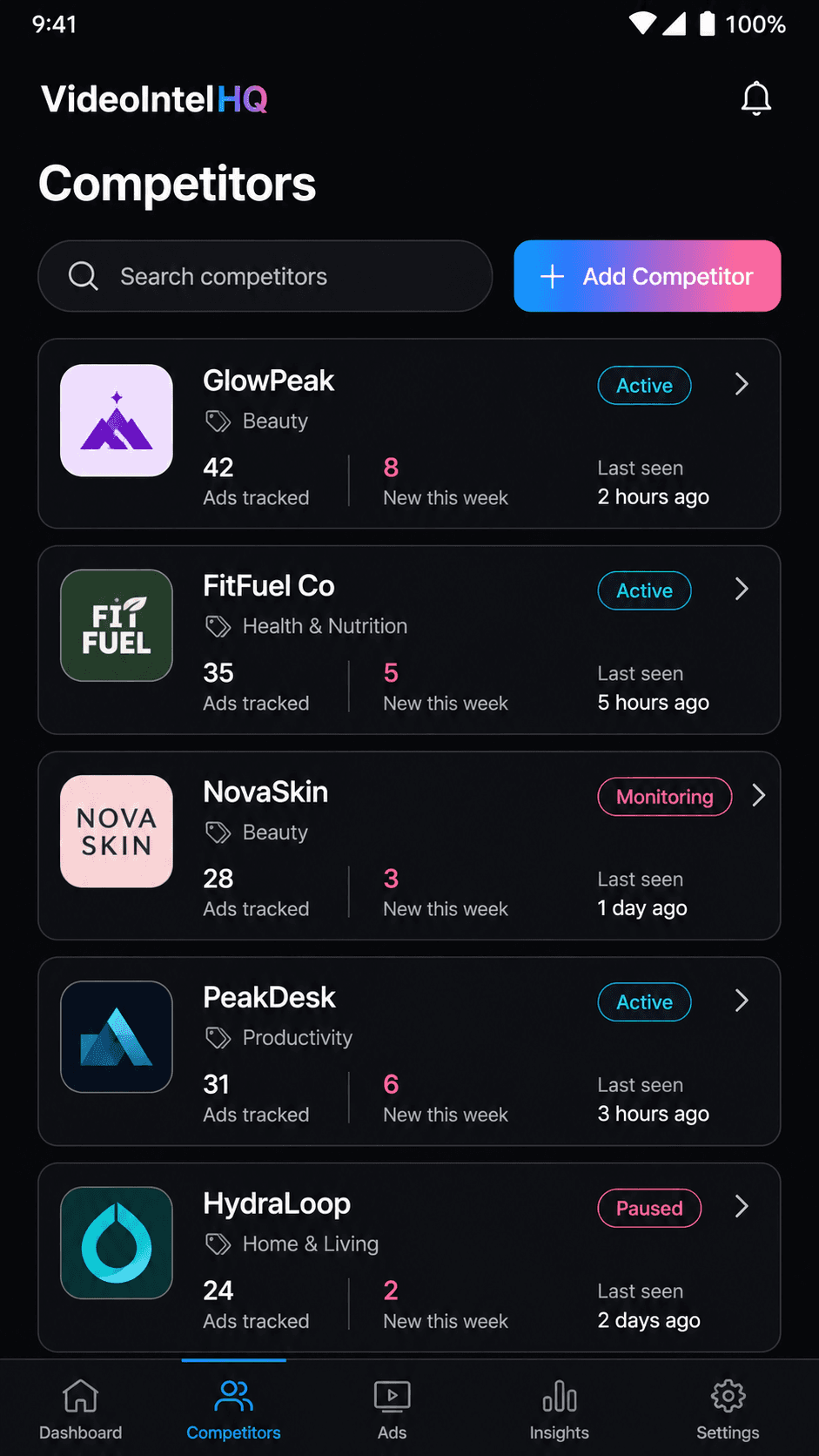
VideoIntelHQ helps teams turn weekly campaign summaries, recurring review decisions, and client-ready creative updates into a repeatable workflow. Instead of scattering screenshots, browser tabs, notes, and spreadsheet rows, teams can review public creative signals in one organized dashboard and decide what deserves a brief, report, or follow-up review.
Direct answer
What should a weekly creative summary include?
A weekly creative summary should include new competitor ads, hook changes, offer shifts, repeated creative patterns, landing page notes, uncertainty caveats, recommended next actions, and links back to the reviewed examples.
What the workflow is for
This page is for teams that need a clearer way to monitor competitor creative movement without treating public ad visibility as proof of private campaign results. The useful signal is the visible change: a new video, repeated hook, refreshed offer, new landing-page promise, or seasonal creative pattern. VideoIntelHQ gives those observations a place to live so they can be reviewed consistently.
- Track the competitors and reference brands your team actually reviews
- Separate visible creative observations from assumptions about performance
- Keep hook, offer, format, CTA, and landing-page notes in one workflow
- Summarize the changes that matter for weekly creative planning
How teams use it in practice
A practical review starts with a defined watchlist. Each week, the team reviews new public ad signals, tags the hook and offer, compares the record with prior notes, and decides whether the pattern should be saved, monitored, briefed, reported, or archived. Agencies can adapt the same workflow for client-ready updates, while in-house DTC teams can use it to prepare creative planning meetings.
Why this is safer than manual copying
Competitor research is most useful when it supports original strategy. VideoIntelHQ is designed for careful creative research: observe what is public, document the pattern, connect it to your own customer evidence, then brief a differentiated test. It is not a tool for copying ads exactly, impersonating platforms, accessing private accounts, or promising guaranteed ad outcomes.
What to do with the signal
The best output is a decision. A hook change might become a brief if it matches customer research. An offer shift might become a landing-page review. A repeated format might become a watch item. A noisy ad might be archived. The point is not to collect more examples; the point is to improve the quality of the creative conversation.
Weekly review checklist
Examples by team type
Agencies
Use weekly ad summary workflow for competitor research to prepare client-ready weekly notes that explain what changed, why it might matter, and what the next review or brief should cover.
DTC brands
Use weekly ad summary workflow for competitor research to compare public creative signals against your own product, offer, landing page, and customer research before deciding what to test.
Creative strategists
Use weekly ad summary workflow for competitor research to turn scattered inspiration into organized hook, offer, proof, format, and destination-page notes for original briefs.
Media buyers
Use weekly ad summary workflow for competitor research as context before creative testing and budget discussions, while avoiding unsupported claims about private ROAS, revenue, conversions, or campaign outcomes.
Common mistakes to avoid
Calling an ad a winner when only public visibility is known
Copying competitor creative instead of briefing an original angle
Mixing client workspaces or source notes without review dates
Letting the swipe file grow without weekly or monthly decisions
Presenting competitor research as legal, platform, or advertising advice
FAQ
Does VideoIntelHQ access private ad accounts?
No. VideoIntelHQ is positioned around public creative signals and organized research workflows. It does not claim private platform access, private spend, revenue, ROAS, conversions, or campaign outcome data.
Can this guarantee better campaign performance?
No. Competitor research can improve planning context, but performance depends on offer quality, audience fit, landing page, budget, tracking, creative execution, and timing.
Who is this best for?
Performance marketing agencies, DTC brands, creative strategists, paid social teams, media buyers, and growth marketers who run recurring creative reviews.
How often should a team review competitor ad signals?
Weekly reviews work well for fast-moving paid social programs. Monthly summaries are useful for pattern review, planning meetings, and client reporting.
Related resources
Build a clearer competitor ad review workflow.
Start with a small watchlist, organize hook and offer notes, and turn public creative signals into weekly planning inputs.
VideoIntelHQ helps organize public creative research signals. It does not guarantee ad performance, revenue, ROAS, conversions, sales, or campaign outcomes.